

AI features and setup
Dee Wan has two AI paths: built-in tools for editors, and MCP access for an external assistant. Built-in tools use your installation’s configured provider and models. An MCP client uses its own assistant to call Dee Wan’s documented tools.
Choose a starting point
Section titled “Choose a starting point”| Goal | Guide |
|---|---|
| Configure generation | Providers and models |
| Write, translate or revise content | Editorial AI tools |
| Research topics and produce drafts | Content planner |
| Let an assistant manage a site | Management API, CLI and MCP |
| Let an assistant read these docs | Documentation MCP and agent guides |
Providers and models
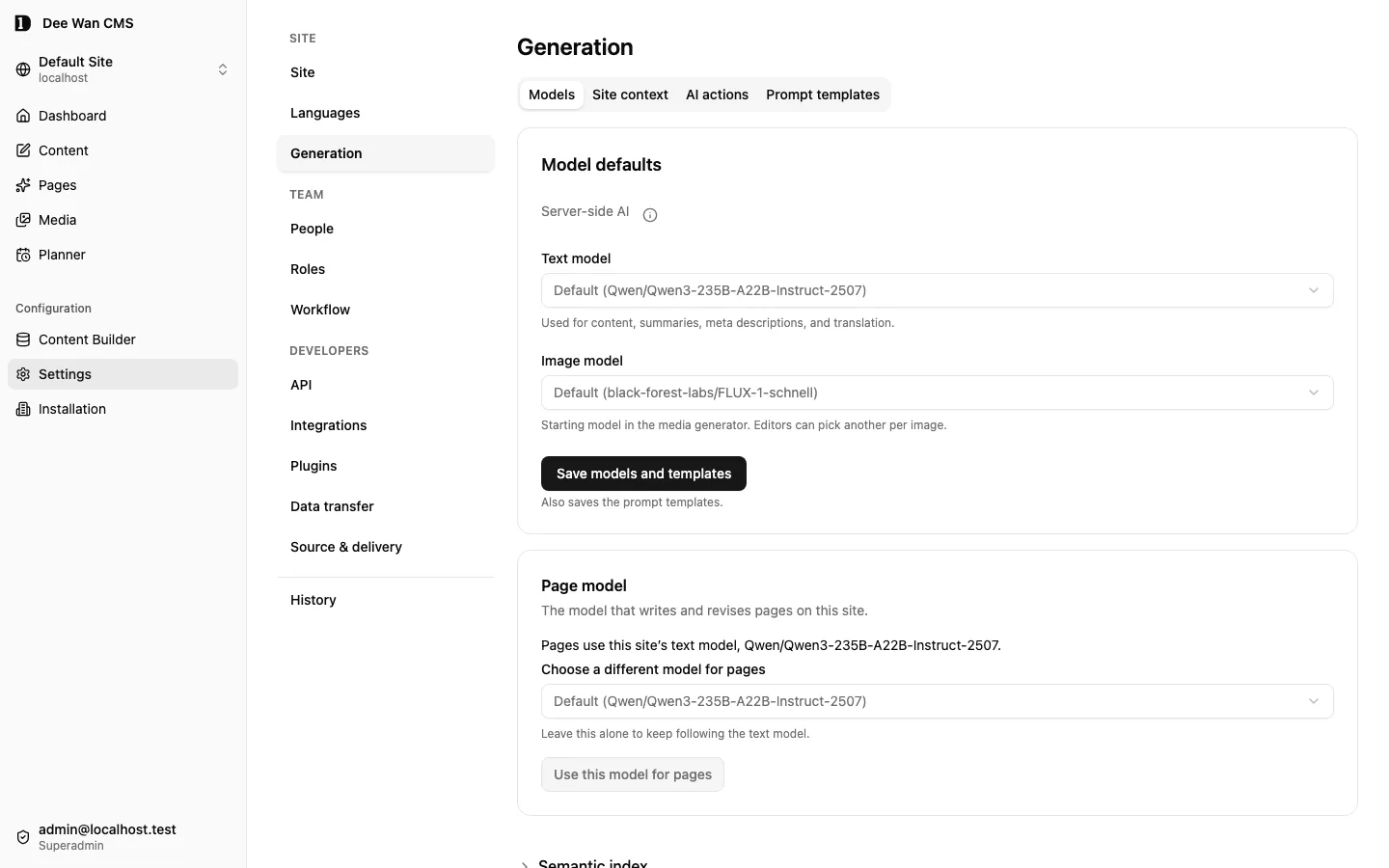
Section titled “Providers and models”The operator configures one inference connection for the installation. Site administrators choose models in Settings → Generation → Models; an editor may choose another model where the tool offers that control.
| Connection | Configuration |
|---|---|
| DeepInfra, the default | Operator stores DEEPINFRA_API_KEY as a Worker secret. Model pickers use the provider’s catalogue. |
| OpenAI-compatible | Operator sets AI_PROVIDER=openai-compatible, AI_BASE_URL and AI_TEXT_MODEL, and stores AI_API_KEY as a Worker secret. Optional vision and image models enable those capabilities. Pickers use the configured model IDs. |
The selected provider and model determine what runs. A text connection alone does not enable image generation or image understanding. Use exact model IDs the provider serves. See the operator configuration reference for optional models, endpoint rules and image-response requirements.
Keys stay on the server. Relevant text, selected context or image bytes are sent to the configured provider when you request that operation. Check the provider’s own terms before sending confidential material. No provider is required to edit or publish manually.
Generation needs ai:generate and spends the site’s hourly allowance: 250 requests by default. Saving content, uploading generated media and publishing keep their separate permission checks. After switching providers, update saved model selections to IDs the new provider serves.
Shared instructions
Section titled “Shared instructions”Settings → Generation holds model defaults, prompt templates, AI actions and accepted Site context. Site context includes the Site brief, Theme, and Menus & SEO. Saving a context document keeps a version; accepting it determines what later generation receives. Existing pages keep their own content.
See site context and named AI actions. Named actions reuse maintained instructions and allowed inputs across assigned content fields; each batch keeps the revision it started with.
Editorial AI tools
Section titled “Editorial AI tools”Detailed instructions stay beside the screen where you use the tool.
| Task | What it does | Instructions |
|---|---|---|
| Build or revise a page | Generate a new page, or propose changes to the whole page or one section using supported sections, accepted site context and page facts. | Page AI |
| Draft text | Generate configured text fields, rich text or component variants; review before applying. | Content generation |
| Process many entries | Rewrite, translate, apply terminology or summarize a frozen selection into reviewable proposals. | Batch AI |
| Update translations | Explicitly opt in to updating selected existing languages after saving changed source text. Publishing stays separate. | Translation updates |
| Find useful context | Search by meaning, suggest eligible relations and links, or select up to five entries as generation context. | Related content |
| Improve search and sharing copy | Generate an editable SEO title and description proposal from the effective metadata panel. | SEO proposals |
| Create images | Choose an image model and aspect ratio; save the result separately to the media library. | Image generation |
| Describe images | Use a vision model for editable alt-text and caption proposals, individually or for a selection. | AI image descriptions |
| Generate a site design | Produce a template candidate from accepted site context; build, review and activate it through the template workflow. | Managed templates |
| Design a content model | Create a model with AI or propose improvements to an existing one in Content Builder. | Model builder |
| Plan ongoing content | Research recorded sources, retain evidence, produce drafts and review checks in a queue. | Content planner |
Generation is not publication. Follow each tool’s review and save flow: text and page revisions are proposals; a newly generated page and planner output are saved drafts. The planner can hand passed drafts to Scheduling only when you explicitly configure that final action. AI output still needs editorial review.
For large archives, the optional semantic editorial index maintains per-field embeddings through Cloudflare Vectorize and Workers AI. It has separate operator bindings, explicit site scope and visible coverage. Existing batch search remains available.
MCP and external assistants
Section titled “MCP and external assistants”These two servers have different jobs:
| Server | Address | Access | Purpose |
|---|---|---|---|
| Documentation MCP | https://docs.dee-wan.com/mcp |
Public, read-only | Search and read published documentation in English, Russian or Thai. |
| Management MCP | Your CMS origin + /api/manage/mcp |
Scoped credential or OAuth sign-in | Read and change the permitted site’s content, media and configuration through declared tools. |
Connect the documentation server to learn how Dee Wan works. It also provides llms.txt, llms-full.txt and an agent skill. Connect the management server to work on your site; the same operations are available through REST, the TypeScript client and the downloadable CLI/stdio MCP server.
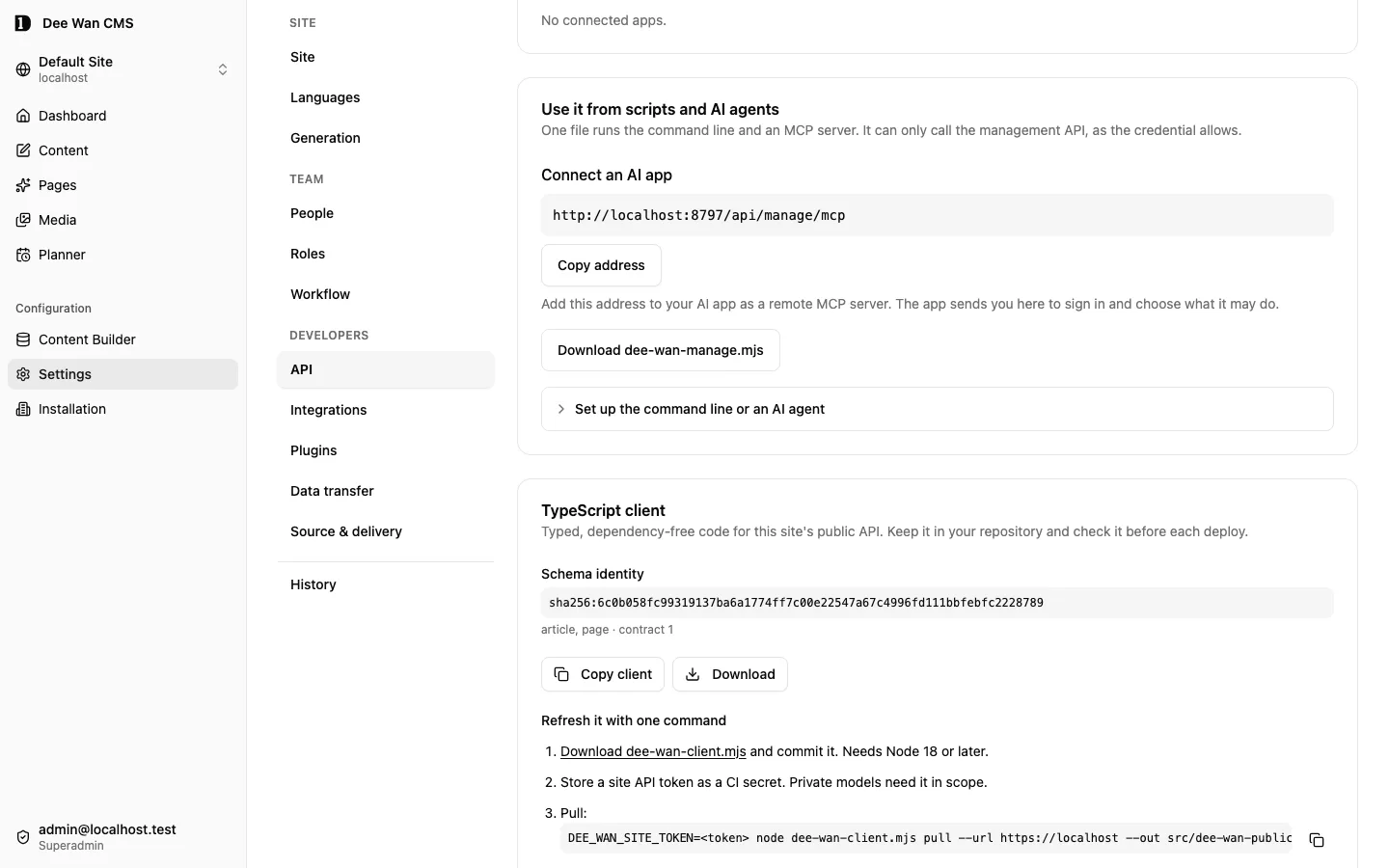
Management access does not require Dee Wan’s built-in AI provider. Your external assistant supplies its own model; its Dee Wan credential or signed-in account determines permitted actions. Direct-write tools can save changes. Use proposals for editor review when changes should wait for a person.
An assistant can also work with schema proposals and permitted plugin operations. When it writes generated-project extensions or a plugin, use the owned-code extension points and plugin authoring contract; MCP access does not replace those development contracts.
When generation is unavailable
Section titled “When generation is unavailable”- No provider or model: ask the operator to configure the connection and the required model capability. Then check the site’s saved model selection.
- No AI permission: ask the site administrator to check your role; ordinary editing may still be available.
- Allowance exhausted or provider failed: keep your draft. Follow the reported retry guidance; a failed generation does not publish content.
- Prompt missing: configure the field prompt or the relevant template rather than retrying an empty instruction.
- Content or access changed: refresh and review the current values before generating or applying again.
Unreleased / pre-MVP; no stable version
Source revision: e207e63239a627fbd2ae9c414ef7c6eb19fcfe5a (modified checkout)
Build date (UTC): 2026-10-21T09:28:24.214Z
Upgrade target: unavailable: modified checkout. Release notes